Tables and relationships
Edit tables, columns, keys and relationships in logical and physical views.

Midnight ERD
Midnight ERD is a database design app for Apple silicon Mac. Import structure from MySQL, MariaDB, Microsoft SQL Server or PostgreSQL, edit the local model, and export diagrams and Excel specifications.
macOS · Apple silicon · MySQL, MariaDB, MSSQL and PostgreSQL schema import
Mac 1.0.1 available · DMG · Automatic updates
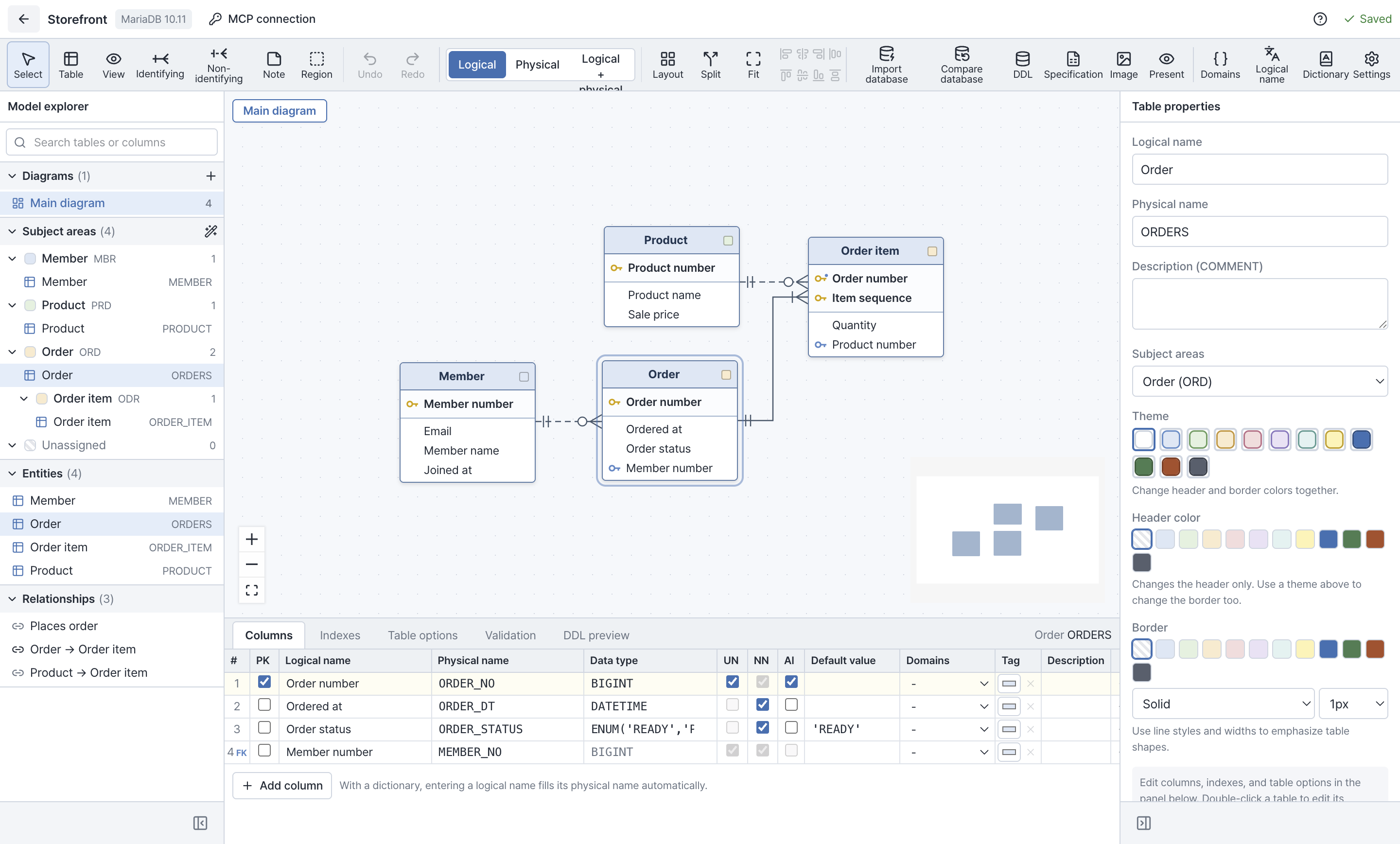
Edit tables, columns, keys and relationships in logical and physical views.
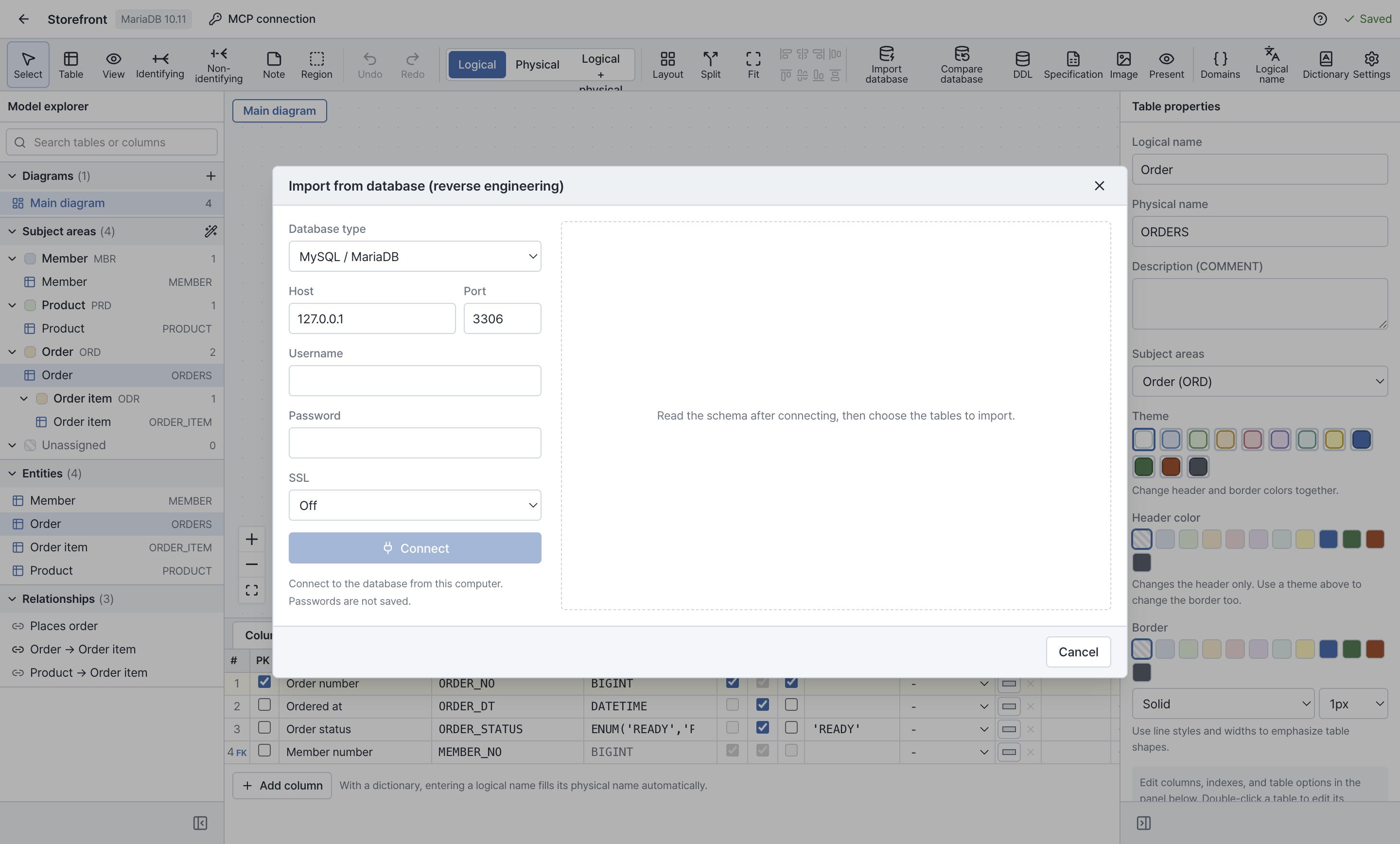
Read schema structure from MySQL, MariaDB, Microsoft SQL Server (MSSQL) or PostgreSQL into a local project.
Generate CREATE SQL for all or selected tables, with options for DROP, IF NOT EXISTS, indexes, comments and foreign keys.
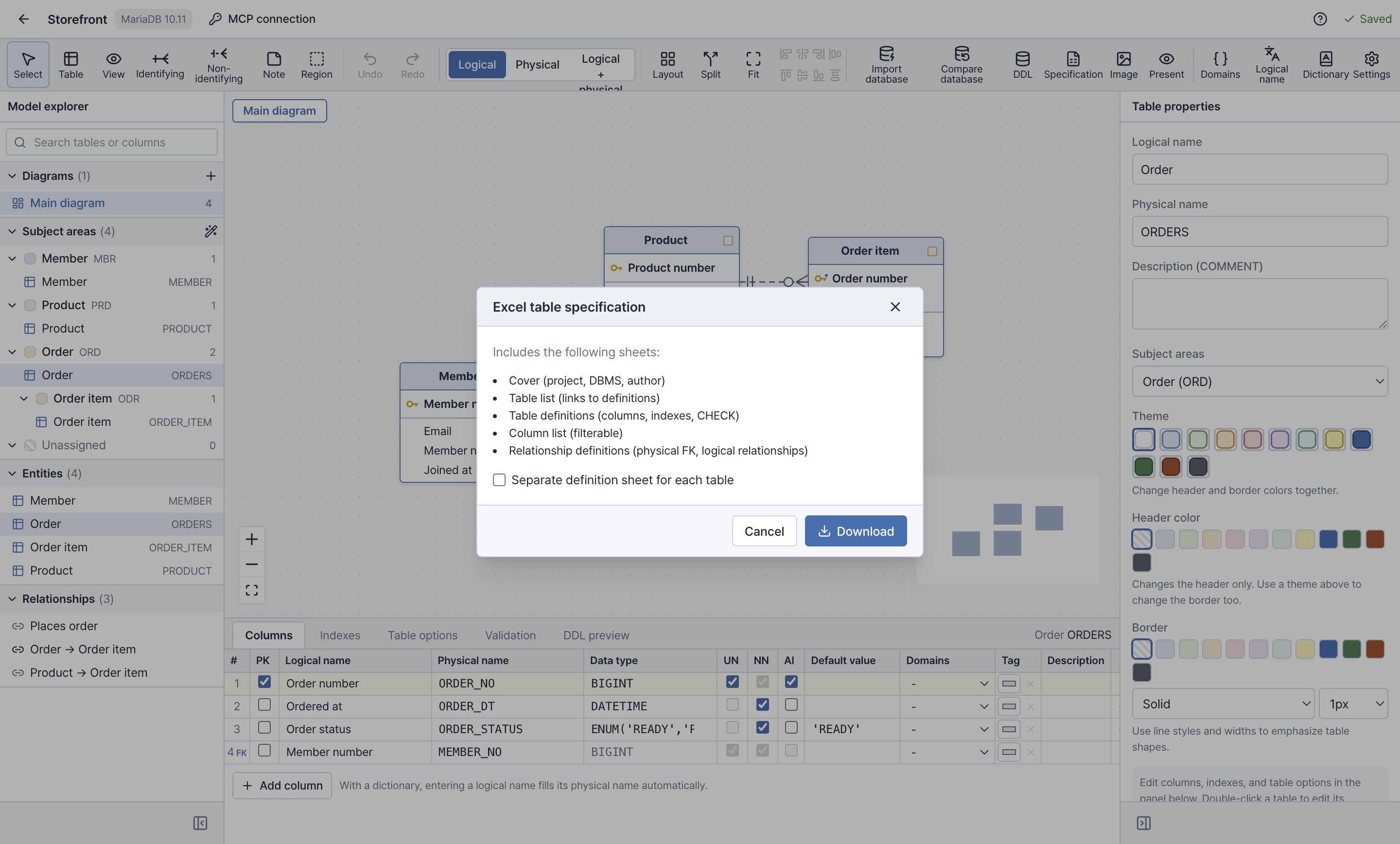
Export PNG, SVG and PDF diagrams and Excel table specifications. Import and export dictionary entries, domains and .erd.json projects.
Create tables, columns, keys and relationships, or import structure from one of the four supported database systems. Schema import reads structure without changing the source database.
Switch between logical and physical views and save the project on your Mac.
Share diagrams as PNG, SVG or PDF, including multipage PDFs for large diagrams. Export an Excel specification with a cover, table list, definitions, columns and relationships.
Schema import supports MySQL, MariaDB, Microsoft SQL Server (MSSQL) and PostgreSQL. CREATE SQL generation described here is for MySQL and MariaDB.
Export dictionary entries and domains to Excel, edit them and import them again. Review additions, changes and duplicates before applying the import.
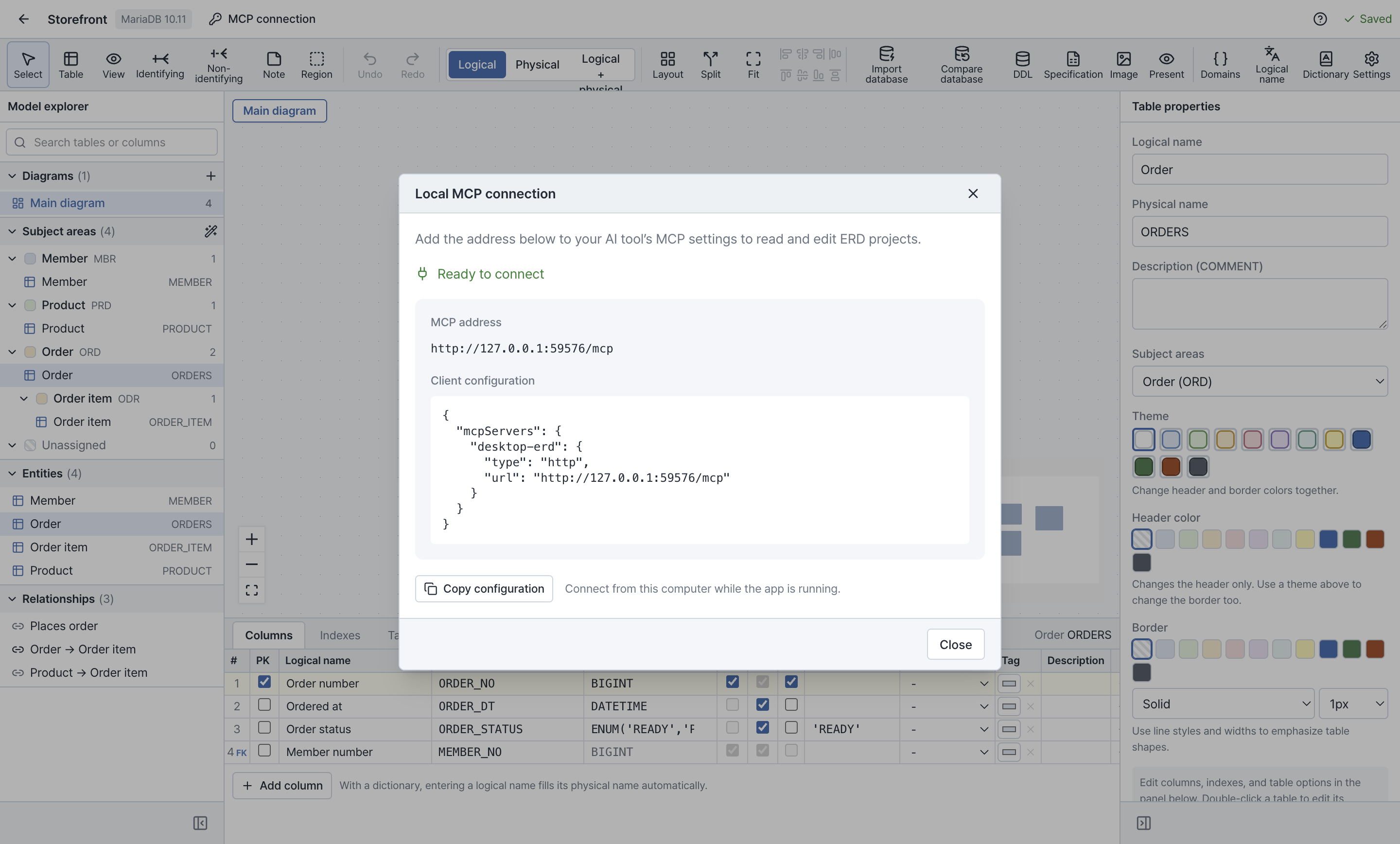
Copy the configuration from MCP connection → Local MCP connection into a client that supports HTTP MCP. Keep Midnight ERD running on the same Mac to read and edit projects. AI features are provided by your compatible client.
Open the Apple silicon DMG and drag the app into Applications. Version 1.0.1 checks for updates and downloads them automatically; quit the app to apply a downloaded update. You can also choose Help → Check for updates.
Install the latest DMG once to enable automatic updates.
macOS · Apple silicon · MySQL, MariaDB, MSSQL and PostgreSQL schema import
Version 1.0.1